Ethernet
The fundamental communication infrastructure used for the physical network and data link.
SIEMENS S7 PLC • S7COMM • ISO-ON-TCP
The S7 Communication Protocol (S7comm) is a Siemens-specific communication protocol used for data exchange between Siemens SIMATIC S7 PLCs and computers, SCADA systems, HMI applications, and other industrial software.
In Ethernet-based S7 communication, S7comm operates over ISO-on-TCP (RFC 1006) and typically uses TCP port 102 on TCP/IP networks. Third-party software libraries such as Snap7 can use this protocol structure to communicate with Siemens PLCs.
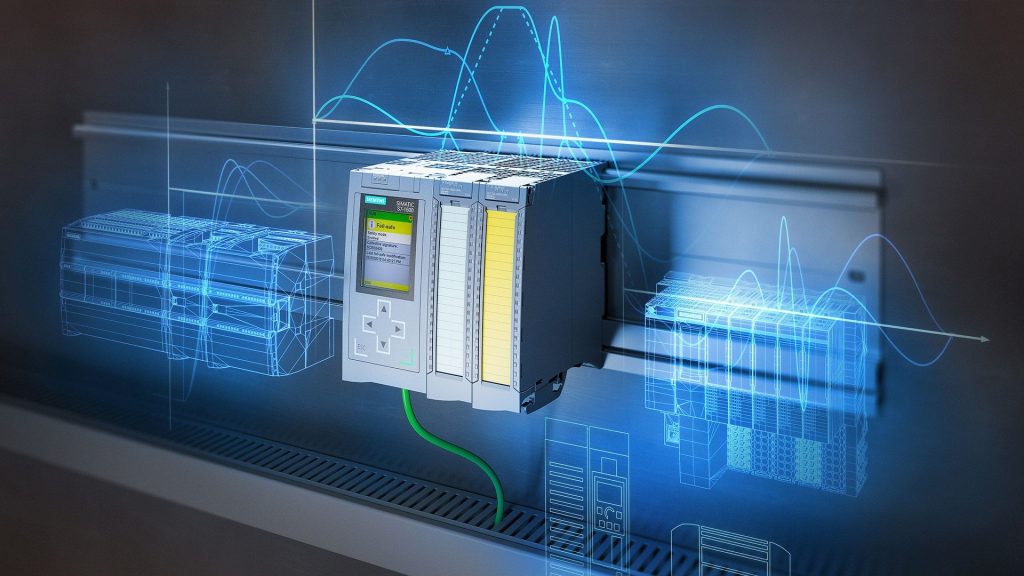
The S7 Communication Protocol is an application-layer protocol developed by Siemens for communication with SIMATIC S7 PLCs. The protocol can be used to access data areas within the PLC, read data, and, where supported and permitted, write data to the PLC.
From a SCADA system perspective, S7comm is one of the communication layers used to transfer process information from the PLC to a computer. For example, temperature, pressure, flow, motor status, valve position, or production information can be read from the PLC and displayed in a SCADA system.
S7comm is not directly an Ethernet or TCP/IP protocol. While Ethernet and TCP/IP provide the underlying communication infrastructure, S7comm carries Siemens-specific data and commands over this communication infrastructure.
According to Siemens documentation, S7 communication can use ISO-on-TCP (RFC 1006) over Ethernet. ISO-on-TCP enables ISO transport services to be used over TCP/IP networks.
Ethernet communication between an S7 PLC and a computer is achieved through the interaction of several different protocol layers.
The fundamental communication infrastructure used for the physical network and data link.
Provides network addressing for devices such as PLCs and computers and routes packets toward their destinations.
The communication layer responsible for reliable, connection-oriented data transport. The TCP port used for S7 communication is typically 102.
The ISO-on-TCP layer defined by RFC 1006 enables ISO-based communication services to operate over TCP/IP networks.
The S7 communication layer responsible for Siemens-specific commands and data access operations.
In the EOS SCADA Siemens S7 client, the data address is created using the data source, data type, and the relevant memory or data block address information.
For example, for a data point within a data block:
The following data sources can be used: db for data block, ab for process output, eb for process input, mb for marker, tm for timer, and ct for counter.
For other data sources, the data type, starting byte, and, if required, the bit position are specified in the remainder of the address.
Supported data types include dword, word, dint, udint, int, uint, sint, usint, real, and bit.
One of the most important uses of S7 communication is accessing process data stored inside the PLC. Depending on the PLC model, firmware version, and communication configuration, different data areas may be accessible.
Data blocks store process data and variables defined by the user within the PLC. They are among the most commonly used data sources in SCADA applications.
Process information can be read from the PLC's digital or analog input and output areas.
One of the internal memory areas used by the PLC program. It can be accessed in communication applications depending on the configuration.
Counter and timer information used by the PLC application can be accessed depending on the supported communication methods.
S7 communication technologies have been used across different generations of Siemens SIMATIC PLC systems. However, the communication features supported by each PLC family are not identical.
In particular, due to the modern security and communication features used in the S7-1200 and S7-1500 families, it is important to distinguish between legacy S7comm access methods and the newer S7CommPlus communication.
The IP address of the PLC on the Ethernet network. The computer must be able to reach the PLC when establishing communication.
The standard TCP port used for S7 Ethernet communication.
In some S7 communication methods, the CPU's rack and slot position form part of the connection information.
When accessing data within a Data Block, information such as the DB number and data address may be used.
S7 communication enables computer-based systems to access PLC data in a wide range of industrial applications using Siemens PLCs.
Since PLC communication can directly affect industrial processes, it is important to perform S7 communication only over trusted and controlled networks.
Particularly with legacy S7comm-based access methods, there may be situations where authentication and security mechanisms are not as strong as those found in modern network protocols. Therefore, instead of exposing PLCs directly to the Internet, measures such as industrial network segmentation, firewalls, and access control should be used.
With newer PLCs such as the S7-1200 and S7-1500, security settings, access permissions, and supported communication methods should also be evaluated.
This section will provide tools that can be used for communication with Siemens S7 PLCs, data reading, data writing, testing, diagnostics, and protocol analysis.
This section will be expanded over time with S7 communication applications, Snap7-based tools, sample programs, test tools, and other utilities.
A utility tool for communication and data access with Siemens S7 PLCs.
A utility application that can be developed using Snap7 to establish connections with Siemens S7 PLCs and test PLC data.
When learning S7 communication, the PLC model, firmware version, communication method, and TIA Portal configuration should be evaluated together.
In particular, because there can be differences in communication and security features between S7-300 and S7-400 systems and S7-1200 and S7-1500 systems, the selected method should be verified against the technical documentation of the relevant PLC.
S7comm is one of the important industrial communication protocols used to communicate with Siemens SIMATIC S7 PLCs.
In Ethernet-based applications, S7comm communication operates over ISO-on-TCP and TCP/IP infrastructure and typically uses TCP port 102. This enables SCADA, HMI, data acquisition, and other computer-based industrial applications to access PLC data.
Snap7 is not the protocol itself, but a software library that facilitates communication with S7 PLCs. This distinction is important when working with Siemens PLC communication, as it separates the communication protocol from the software tool used to implement it.
Free Software Download Center
Software for industrial data collection, monitoring and analysis.

Technical Support
Documentation, sample code and practical information for EOS software.
You can contact us regarding EOS software, technical documentation, or industrial data communication.